A Revit architecture course should leave you with more than software familiarity. The real test is what you can design and build on your own by the end, and which deliverables you can show a hiring architect. This guide walks through the actual outputs a strong program produces, from the first site model to a complete sheet set and walkthrough. It uses the BIM for Architecture program at Tritech Academy as the reference, where faculty who practice in the industry set every exercise.
Key Takeaways
- A good Revit architecture course is judged by its deliverables: a site model, a building model, families, schedules and a printed sheet set.
- Revit architecture training works best when every exercise follows one real project from early massing to construction documents.
- A portfolio of your own finished drawings carries more weight with employers than a course certificate alone.
What a Revit Architecture Course Should Produce
Most beginner guides list Revit tools one by one. That approach teaches buttons, not buildings. A stronger way to judge any Revit architecture course is to ask what finished work you will hold at the end. Employers in Kochi, Bengaluru and the Gulf ask exactly that question during interviews.
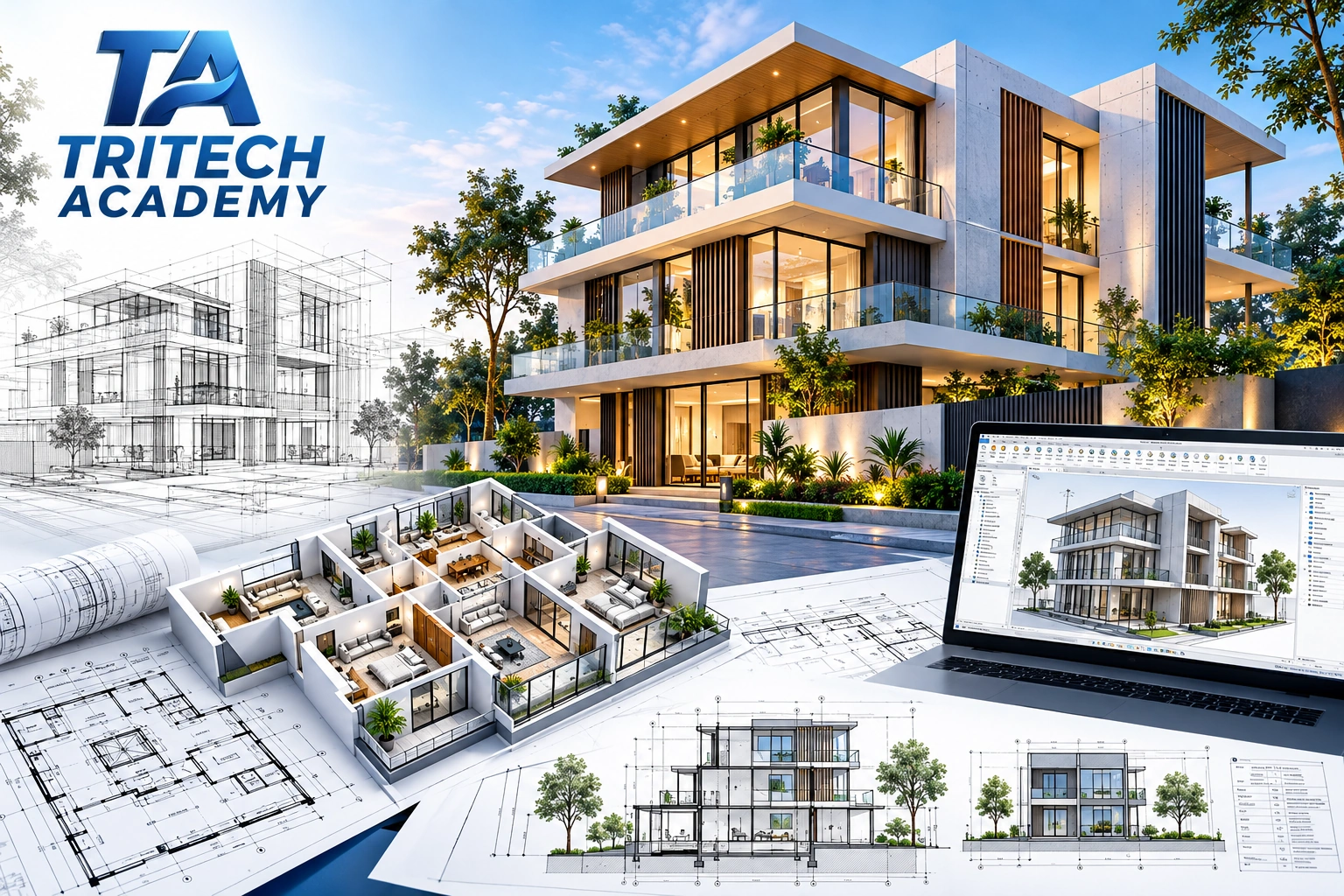
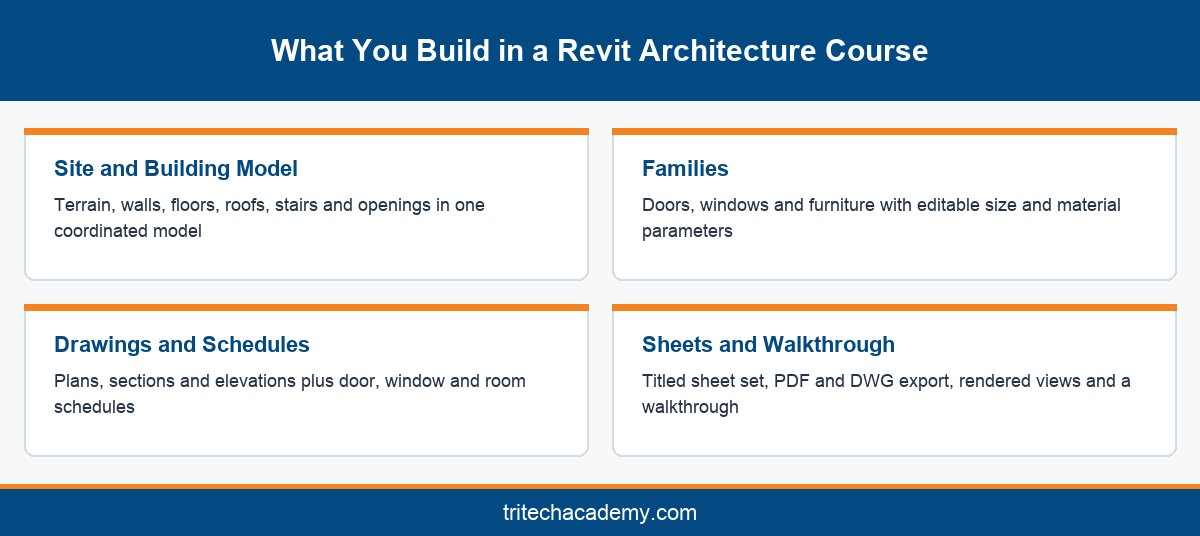
The core output is a complete building information model of a realistic project. That means a site with terrain, a building with walls, floors, roofs and stairs, and the doors, windows and furniture that make the spaces usable. Every element carries data, not just lines on a drawing.
From that model, a student should generate plans, sections, elevations and 3D views without redrawing anything. This is the shift that separates BIM from traditional drafting. When the model changes, every view updates, which is why firms that adopt building information modeling rarely return to pure 2D workflows.
The next layer is documentation. A finished project needs room schedules, door and window schedules, area plans and annotated sheets with title blocks. These are the documents a site engineer or client actually reads, so they deserve as much practice time as the modeling itself.
Finally, a strong program includes presentation output. Rendered views, a short walkthrough and a clean exported PDF set let you show your work to a recruiter in a few minutes. Without them, even a well built model stays hidden inside a file that nobody opens.
At Tritech Academy, these outputs sit inside the BIM for Architecture program, which follows a Learn, Practice, Develop and Deliver method. Each stage adds one layer of deliverables, so no tool is ever taught in isolation from the final project the student will present.
Building the Model: Site, Walls, Floors and Families
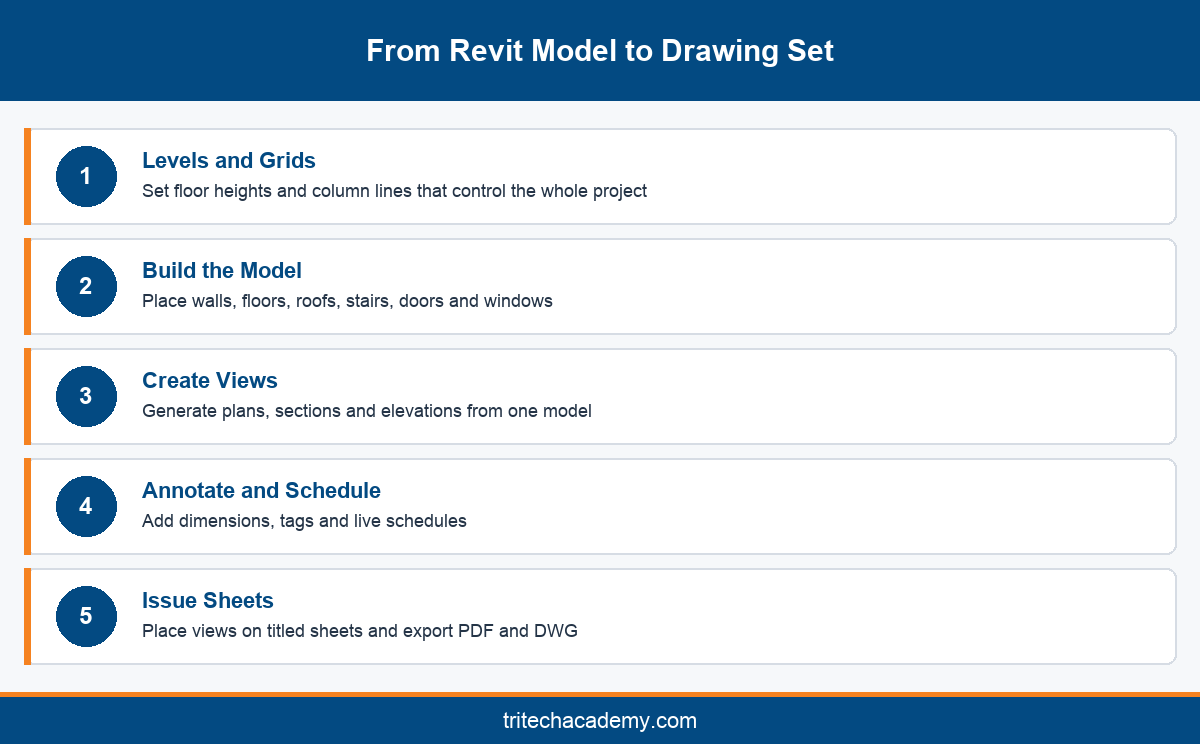
Revit architecture training usually starts with levels and grids. These reference planes control every floor height and column line in the project, so getting them right early saves hours of correction later. Students then place a topography surface and building pad to set the project on a real site.
Walls come next, and they teach the first big lesson about BIM. A Revit wall is not two parallel lines. It is a layered assembly of block, plaster and paint with real thickness, which later feeds quantity schedules and cost conversations with contractors on site.
Floors, roofs, ceilings and stairs follow the same logic. Each is a system family with editable layers and constraints. Learners discover how a sloped roof attaches to walls, how a staircase fits between levels and how openings cut through slabs for shafts and services.
Doors, windows and furniture are loadable families. A good course spends real time here, because families are where Revit users either save or waste effort. Students learn to edit existing families, set parameters for width and height, and build simple custom families of their own.
Curtain walls and glazing systems add another skill set. Modern commercial buildings in Kerala and across India rely heavily on facade systems, so understanding panels, mullions and grids gives graduates an edge in offices that design malls, hospitals and technology parks.
By the end of this stage, the student owns a coordinated building model. Training then moves from making the building to describing it, which is where many self taught learners stall. Tritech students work through this stage in dedicated computer labs with guidance at every step.
Turning the Model into Drawings, Schedules and Sheets
Documentation is where a Revit model proves its worth. Plans, sections and elevations are views of the same model, so they never contradict each other. Students learn to control view ranges, visibility settings and view templates so every drawing reads clearly at its intended scale.
Annotation follows. Dimensions, tags, text notes and keynotes turn a picture into an instruction for builders. Good courses insist on consistent standards here, because a messy drawing set signals inexperience faster than any interview question can, and studios notice it within minutes.
Schedules are a Revit strength that beginners often skip. A door schedule, window schedule or room finish schedule pulls data straight from the model. Change a door type in plan and the schedule updates instantly, which removes a whole category of manual counting errors.
Area plans and room data matter for practical reasons too. Developers and local authorities in India review built up area and carpet area closely. Learning to tag rooms and calculate areas from the model prepares students for the approval drawings they will meet in practice.
Sheets bring everything together. Students set up title blocks, place views, add revision clouds and issue a numbered drawing set. Exporting that set to PDF and DWG for consultants who still use AutoCAD is a small skill that saves real friction on live projects.
This documentation stage is also where the course connects to real practice. Tritech Academy draws on the drawing standards of its parent firm, Tritech Engineering, which brings 30+ years of design experience and 1,000+ completed projects into the exercises students model and document.
Presentation, Portfolio and Where the Course Leads
Rendering and walkthroughs form the final layer. Revit includes built in rendering, and students learn camera views, materials, lighting and sun settings. A short walkthrough of the finished building often becomes the centrepiece of a graduate’s portfolio and the first thing recruiters ask to see. Students also learn to export still images at print quality for interviews and studio reviews.
Revit architecture online options exist, and they can teach these tools. The gap usually appears in feedback. Reviewing a section or schedule with an instructor beside you catches mistakes that a recorded video never will, especially during the documentation stage of a project.
Learners comparing a bim architecture course with a pure Revit class should look closely at scope. A BIM program adds coordination, collaboration tools such as BIM Collaborate Pro and file exchange through open standards like IFC, while a software class stops at modeling.
Graduates typically move into roles such as Revit modeler, BIM modeler or architectural drafter in design studios and consultancies. Tritech Academy supports this step through its placement cell, which connects trained students with firms that are hiring.
If you are still deciding whether you are ready, the earlier guide on skills to build before starting BIM for architecture covers drawing literacy and software basics. Reading it first makes the opening weeks of any program far smoother and less stressful, especially for students coming straight from a diploma.
For the wider picture of how Revit fits across architecture, structure and MEP, read our complete guide to Revit training at Tritech. It explains how the architecture track connects with the other disciplines taught on the same campus in Kalamassery, Ernakulam.
Conclusion
A Revit architecture course earns its value through what you finish with: a coordinated model, a disciplined drawing set, schedules that pull live data and a presentation that shows your thinking. Judge any program by those outputs rather than its tool list. Tritech Academy builds every one of them into its BIM for Architecture program, taught by practicing professionals with 16 years as an Autodesk Academic Partner. To ask about the next batch or visit the labs, speak with the admissions team.
Frequently Asked Questions
What will I build in a Revit architecture course?
You will build a complete building model on a real site, including walls, floors, roofs, stairs and families. From that model you produce plans, sections, elevations, schedules, a printed sheet set and rendered views for your portfolio.
Do I need AutoCAD before learning Revit for architecture?
No, AutoCAD is not required. Basic drawing literacy helps more than any software, because Revit asks you to think in building elements. Many students learn both, using AutoCAD for quick 2D details and Revit for the full model.
Is Revit architecture training useful for civil engineers?
Yes. Civil engineers coordinate with architectural models every day, so understanding them helps. Many civil graduates add these skills before moving into structural BIM work, which has its own track on the full list of Tritech programs.
Can I learn Revit architecture online instead of in a classroom?
You can learn core tools online, but documentation and coordination improve faster with live feedback. An instructor reviewing your sections, tags and schedules catches errors early. Classroom training also gives access to lab machines that handle large models smoothly.
What are Revit families and why do they matter?
Families are the reusable components in Revit, such as doors, windows, furniture and fixtures. Each carries parameters like width, height and material. Learning to edit and create families saves effort on every project and is a skill employers test often.
How is a BIM architecture course different from a Revit class?
A Revit class teaches modeling and documentation inside one tool. A BIM program adds coordination with structure and services, collaboration platforms and open file exchange, so graduates can work inside multidisciplinary project teams rather than alone at a desk.
What jobs can I get after learning Revit for architecture?
Common entry roles include Revit modeler, BIM modeler and architectural drafter in design studios, consultancies and contracting firms. With experience, graduates move toward BIM coordinator positions. A strong portfolio of finished drawings matters more than a certificate at every stage.
Does Tritech Academy show student project work?
Yes, Tritech Academy shares site visits, lab sessions and student activity publicly. You can see examples in the Tritech Academy photo gallery, which gives a feel for the training environment before you visit the Kalamassery campus in person.
Why choose an Autodesk Academic Partner for Revit training?
An Autodesk Academic Partner follows Autodesk aligned teaching standards and trains on current software. Tritech Academy has held this status for 16 years, and its trainers bring live project experience from parent company Tritech Engineering into every classroom session.